Saturday, March 28, 2015

CAPTCHAs May Do More Harm Than Good

CAPTCHAs May Do More Harm Than Good

CAPTCHAs May Do More Harm Than Good
CAPTCHAs -- those misshapen funhouse mirror letters you have to decipher in order to gain access to various online tools -- are so annoying to some people that they'd rather turn their back on a website than fiddle with them. Worse yet, CAPTCHAs don't always work. "CAPTCHAs can stop most bots, but the worst bots know how to get past CAPTCHA," said Distil Networks CEO Rami Essaid.
By John P. Mello Jr.
03/26/15 11:08 AM PT
If an annoyance contest were held between passwords and CAPTCHAs, passwords would probably win, but not by much.
CAPTCHA -- Completely Automated Public Turing Test To Tell Computers and Humans Apart -- was created to foil bots attempting to mass-create accounts at websites. Once created, those accounts could be exploited by online lowlifes for malicious ends, such as spewing spam. However there are signs that the technology that uses distressed letters to weed out machines from humans may have outlived its usefulness.
When users are presented with a CAPTCHA, they are 12 percent less likely, on average, to continue with what they came to do at the website, according to a Distil Networks study released earlier this month.
That number is even worse for mobile users, who abandon their intended activity 27 percent of the time they're confronted with a CAPTCHA, the study suggests.
"If it causes too much friction for a checkout or a transaction, it could cost a website real dollars and cents or users," Distil CEO and cofounder Rami Essaid told TechNewsWorld.

Better Bots

Distil got the idea for the CAPTCHA study from one of its customers.
"They were trying to solve a fraud problem," Essaid said. "When they put in their CAPTCHA, it dramatically decreased their conversions by over 20 percent."
So Distil decided to study the problem.
"We wanted to see if that was unique to that company or if people were annoyed by CAPTCHAs to the point that they abandon any interaction that they're doing," Essaid said. "The results shocked me. I didn't think they'd be as dramatic as they were."
The wide gap between desktop and mobile abandonment is largely a usability issue, he said.
"CAPTCHAs were created for desktops. We've never seen one fully designed for mobile, and that impacts users much more," Essaid explained.
The kicker to CAPTCHAs is that their purpose -- to block bots -- has become problematic.
"Bots have evolved to a point where they can solve the CAPTCHAs," Essaid pointed out. "CAPTCHAs can stop most bots, but the worst bots know how to get past CAPTCHA."

Bad Cert

Microsoft issued a security advisory last week alerting Windows users that a rogue certificate had been issued that could be used to spoof the company's Live services.
"Microsoft is aware of an improperly issued SSL certificate for the domain 'live.fi' that could be used in attempts to spoof content, perform phishing attacks, or perform man-in-the-middle attacks," the advisory reads.
"It cannot be used to issue other certificates, impersonate other domains, or sign code," it continues. "This issue affects all supported releases of Microsoft Windows. Microsoft is not currently aware of attacks related to this issue."
Certificates increasingly have become targets for cybercriminals, noted Kevin Bocek, vice president for security strategy and threat intelligence at Venafi.
"Bad guys are not only trying to steal certificates, but use fraud to obtain them, too," he told TechNewsWorld.
"There are over 200 public Certificate Authorities trusted around the world," he explained, "and at any one time, any could be attacked to obtain a valid certificate."
Microsoft has taken actions to thwart anyone trying to use the illicit cert, but those measures only work on its products. Since the cert will work in other products, it's up to maker of those products to update them to block recognition of the cert.

Mobile FREAK-out

Earlier this month, researchers discovered a vulnerability in SSL implementations called "FREAK." It allows an attacker to force SSL to stop using 128-bit encryption and start using 40-bit encryption, which can be cracked in a matter of hours using commodity computers or readily available cloud computing resources.
Most of the attention on FREAK has been focused on its impact on browser communication, but last week, researchers at FireEye found a substantial number of mobile apps are vulnerable to the SSL flaw.
After scanning 10,985 popular Google Play Android apps with more than 1 million downloads each, the researchers found 11.2 percent of them vulnerable to a FREAK attack.
A similar analysis of 14,079 iOS apps revealed that 5.5 percent of them vulnerable to FREAK.
"This is a problem of a client or server being able to say, 'I don't want to do this really secure thing, let's do something less secure,'" said Jared DeMott, principal security researcher at Bromium.
While that sounds serious, exploiting the flaw isn't a piece of cake. "You need to be in a position to sit on the traffic, and you still have to decrypt the downloaded encryption, even if it isn't very good," he told TechNewsWorld.
"That's the kind of thing you'd expect to see organized players doing -- a nation state or big crime ring," he said. "I don't know if it's going to have a big impact on individual consumers."

Breach Diary


  • March 17. Premera Blue Cross of Mountlake Terrace, Washington, reveals a data breach has placed at risk personal information of some 11 million customers. Intrusion took place on May 5, 2015, but was not discovered until Jan. 29 of this year.
  • March 17. Advantage Dental, of Redmond, Washington, reports that information on more than 151,000 patients is at risk after a data breach lasting three days in February. An employee's credentials were compromised and used for unauthorized access to a membership database.
  • March 17. FireEye researchers Yulong Zhang, Hui Xue, Tao Wei and Zhaofeng Chen report 11.2 percent of popular Android apps and 5.5 percent of popular iOS apps are vulnerable to a FREAK attack, in which HTTPS traffic can be forced to use a weak form of encryption.
  • March 17. Microsoft warns that a certificate for the live.fi domain has been improperly issued and can be used for malicious purposes such as website spoofing and hijacking Internet traffic.
  • March 17. American Federation of Teachers demands Pearson Education come clean about its monitoring of students' social media to protect the integrity of its testing materials. Pearson says it is contractually obligated by the states it does business with to monitor social media posts to make sure students do not disclose test questions.
  • March 17. Microsoft announces Windows 10 will include Hello, which allows a user to log into a computer or other device through biometric authentication such as facial, iris or fingerprint recognition.
  • March 19. Federal Judge Paul A. Magnuson grants preliminary approval of US$10 million settlement of data breach class action lawsuit against Target. In 2013, data thieves stole payment card and personal information of some 101 million Target customers.
  • March 19. Security researcher Laxman Muthiyah posts blog item describing vulnerability in Facebook's mobile app that can be exploited to steal photos stored in the software.

Upcoming Security Events

  • March 30. New Account Fraud -- Understanding Fraudsters Behavioral Prints. 2 p.m. ET. Webinar sponsored by BioCatch. Free with registration.
  • March 31. Monitoring for Network Security. 1 p.m. ET. Webinar sponsored by ThousandEyes. Free with registration.
  • April 1. SecureWorld Kansas City. Kansas City Convention Center, 301 West 13th Street #100, Kansas City, Missouri. Registration: open sessions pass, $25; conference pass, $75; SecureWorld plus training, $545.
  • April 11. B-Sides Nashville. Lipscomb University, Nashville, Tennessee. Fee: $10.
  • April 11-12. B-Sides Charm. Howard Community College, Gateway Building, Charles I. Ecker Business Training Center, 6751 Columbia Gateway Drive, Columbia, Maryland. Fee: TBD.
  • April 11-12. B-Sides Orlando. University of Central Florida, 4000 Central Florida Blvd., Orlando, Fla. Fee: $20.
  • April 17-18. B-Sides Algiers. Ecole Nationale SupĂ©rieure d'Informatique, Oued Smar, Algiers, Algeria. Free.
  • April 18. B-Sides Oklahoma. Hard Rock Casino, 777 W. Cherokee St., Catoosa, Oklahoma. Free.
  • April 19-20. B-Sides San Francisco. 135 Bluxome St., San Francisco. Registration: $20, plus $2.09 fee.
  • April 20-24. RSA USA 2015. Moscone Center, San Francisco. Registration: before March 21, $1,895; after March 20, $2,295; after April 17, $2,595.
  • April 25. B-Sides Rochester. German House, 315 Gregory St., Rochester, New York. Free.
  • April 29. Dark Reading's Security Crash Course. Mandalay Bay Convention Center. Las Vegas, Nevada. Registration: through March 20, $899; March 21-April 24, $999; April 25-29, $1,099.
  • May 6-7. Suits and Spooks London. techUK, 10 Saint Bride St., London. Registration: government/military, $305; members, $486; industry, $571.
  • June 8-10. SIA Government summit 2015. W Hotel, Washington, D.C. Meeting Fees: members, $595; nonmember, $795.
  • June 8-11. Gartner Security & Risk Management Summit. Gaylord National, 201 Waterfront St., National Harbor, Maryland. Registration: before April 11, $2,795; after April 10, standard $2,995, public sector $2,595.
  • June 16-17. Black Hat Mobile Security Summit. ExCel London, London, UK. Registration: before April 11, Pounds 400; before June 16, Pounds 500; after June 15, Pounds 600.
  • August 1-6. Black Hat USA. Mandalay Bay, Las Vegas, Nevada. Registration: before June 6, $1,795; before July 25, $2,195; after July 24, $2,595.
  • Sept. 28-Oct. 01. ASIS 2015. Anaheim Convention Center, Anaheim, California. Registration: through May 31--member, $895; non-member, $1,150; government, $945; student, $300; June 1-August 31--$995, $1,250, $1,045, $350; Sept. 1-Oct. 1--$1,095, $1,350, $1,145, $400.

Are You Addicted to Your Smartphone? Read These 12 Sentences to Find Out

Are You Addicted to Your Smartphone? Read These 12 Sentences to Find Out

Are You Addicted to Your Smartphone? Read These 12 Sentences to Find Out
It’s hard to imagine life without smartphones. For many Americans, it’s the first thing they see after waking and the last thing they check before falling asleep.
Sixty-eight percent of adult Americans sleep with their cellphones next to their beds. A majority text or talk while driving. A Harris Interactive poll shows that a third check their phones during movies. Twenty percent do this during church. Nearly 10 percent have admitted to checking their phones during intimate moments. Some take selfies with the dearly departed at funerals. And a new trend of taking a selfie while on the toilet, aka the “poopie,” has emerged.
So is there such a thing as cellphone addiction?
Yes.
Cellphone addiction is in the same family as other technology addictions, such as computers and gaming, which are all part of a larger family of behavioral addictions (to gambling, exercise, sex, etc.). Anything that can produce pleasure in your brain has the potential of becoming addictive. Loss of control is the essential element of any addiction.
Research has identified the “six signs” of any type of substance or behavioral addiction. Those six signs – salience, mood modification, tolerance, withdrawal, conflict, and relapse – apply to cellphone addiction as well.
Are you addicted?
Let’s see.
Read the definitions of each of the six signs below and then agree or disagree with the following statements. By the time you’ve completed this task, you will have a better idea of whether you’ve reached your tipping point when it comes to your cellphone use.
*
Salience
A behavior becomes salient when it is deeply integrated into your daily routine.
1. The first thing I reach for after waking in the morning is my cellphone.
2. I would turn around and go back home on the way to work if I had left my cellphone at home.
Euphoria
Who knows what the beep, buzz, whistle, or stylized ringtone might have in store for you? The feeling of anticipation or excitement that precedes and/or follows the use of your cellphone is a mood modification that can result in euphoria.
3. I often use my cellphone when I am bored.
4. I have pretended to take calls to avoid awkward social situations.
Tolerance
As in the case of drug and alcohol abuse, tolerance addresses the need for an ever-increasing “dose” of the behavior to achieve the desired “high.”
5. I find myself spending more and more time on my cellphone.
6. I spend more time than I should on my cellphone.
Withdrawal symptoms
The feelings of irritability, stress, anxiousness, desperation, and even panic that often occur when you are separated from your cellphone are good examples of withdrawal symptoms.
7. I become agitated or irritable when my cellphone is out of sight.
8. I have gone into a panic when I thought I had lost my cellphone.
Conflict
A common outcome of cellphone addiction is conflict. Do your spouse or children complain that you are always on your phone? Do you allow texts, calls, and e-mails to spoil your vacations and personal time? Are your work activities interrupted by playing games, visiting Facebook, and countless other forms of entertainment offered on your cellphone?
9. I have argued with my spouse, friends, or family about my cellphone use.
10. I use my cellphone while driving my car.
Relapse
When we acknowledge that our cellphone use may be undermining our well-being, we attempt to stop. But then we slip back. We relapse.
11. I have tried to curb my cellphone use, but the effort didn’t last very long.
12. I need to reduce my cellphone use, but am afraid I can’t do it.
Are you addicted?
It’s time to see if you have crossed the tipping point from reasonable cellphone use to a potentially addictive habit. To calculate your score, simply add up the number of “agree” responses to each of the 12 statements and check the results.
8 + “Agrees”
You need a reservation at the Betty Ford Clinic for habitual cellphone users.
5-7 “Agrees”
You have crossed the tipping point and are moving quickly to full-blown cellphone addiction.
3-4 “Agrees”
You have not yet reached your tipping point, but need to carefully assess how your cellphone is influencing your life.
0-2 “Agrees”
You are either living in a monastery or have the patience and self-restraint of a monk. Alternatively, technology simply scares you.
*
Since cellphones (in some form) are likely here to stay, we all need to reach some kind of digital dĂ©tente as how best to relate with the 21st-century equivalent of the security blanket. I am not so bold as to suggest that you go “cold turkey,” but we must all set aside times where we unplug from our digital devices and plug into what really matters – friends, family, and being in the moment.
Try it. You might like it.
James Roberts is the Ben H. Williams professor of marketing at Baylor University’s Hankamer School of Business. He has spent much of his professional career studying the “dark side” of consumer behavior, including widely publicized research on cellphone addiction. Roberts’s book “Shiny Objects: Why We Spend Money We Don’t Have in Search of Happiness We Can’t Buy,” was published in 2011.

Can Hackers Really Take Over Your Car?

Can Hackers Really Take Over Your Car?

Daniel Howley
Can Hackers Really Take Over Your Car?
(ThinkStock)
It’s a dystopian scenario: You are driving down a mountain road, listening to Spotify through your car’s Bluetooth connection, when suddenly, your brakes fail and your car goes careening off the road. Your car has been hacked, and you didn’t even know it was happening.
That’s the nightmare hinted at in a scary report from Massachusetts Sen. Ed Markey, which was picked up by many news outlets. A segment on “60 Minutes” recently showed how effective and frightening car hacking could be. It featured reporter Lesley Stahl losing control over her car’s horn and brakes as a hacker clicked away on a nearby laptop.
Could it happen to you? Today, it is extraordinarily unlikely. Though automobile hacking is possible, it requires deep technical knowledge possessed only by a handful of academics and researchers. According to experts, the chances of your car being hacked while it sits in your garage, or while you’re driving it, is very, very low. 
What is car hacking?
Your average new car is a rolling network of high-powered computers. It has a number of processors and wireless systems that allows it to do everything from getting you directions to your aunt’s house, to streaming music from your smartphone via Bluetooth, to making sure you don’t rear-end the car in front of you when it brakes suddenly.
image
(ThinkStock)
Like any network, cars are vulnerable to hacking: an intrusion from an outside source. That intrusion can be through something physically connected to the vehicle, or (more scary), a remote, wireless connection, over cellular, Bluetooth, or Wi-Fi.
What can someone do if they hack into a car?
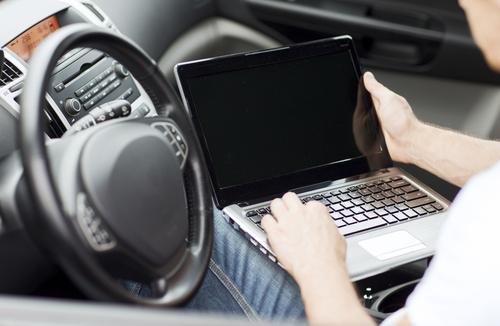
As the recent “60 Minutes” report demonstrated, a dedicated hacker was able to manipulate a vehicle’s braking system, control the windshield wipers, and honk the horn by wirelessly hacking into a vehicle via its cellular connection.
There are also privacy concerns: A hacker could access a vehicle’s location information, allowing a criminal to determine where you have traveled and where your car is currently located.
How do these hacks work?
Let’s use the “60 Minutes” report as an example. That hack used the same methods employed by the University of Washington computer scientist Tadayoshi Kohno and his co-researchers at the University of California, San Diego in 2010. 
image
(60 Minutes)

Android Malware Can Spy on You Even After Your Phone Is 'Shut Off'

Android Malware Can Spy on You Even After Your Phone Is 'Shut Off'

Daniel Bean
Android Malware Can Spy on You Even After Your Phone Is 'Shut Off'
It looks like a breakthrough in nefarious mobile device software: a newly discovered spyware program can actually track you after you’ve shut down your phone.
Well, after you think you’ve shut down your phone, anyway.
As spotted by the AVG anti-virus software company, the malware (which affects Android phones, and which does not yet have a catchy nickname) tricks phone owners into thinking that they’ve shut down their devices. Pressing the power button on an infected phone calls up a fake Power Off button onto the screen. When tapped, only the phone’s screen, sound alerts, and notification lights are actually powered off.
While in this state, the spyware can reportedly make calls, take pictures, and send and receive messages.
Yikes.
The malware is hidden inside some apps found on Chinese app markets. So, if you’re not downloading apps from third-party Chinese app markets, you’re probably safe.
We’ve heard reports of hackers, and even the government, looking through computer and smartphone cameras remotely without owners being any the wiser. But those types of hacks had to be performed while owners were aware their devices were powered on. The introduction of this new malware looks to ruin any piece of mind that you may have once gained after allegedly “shutting off” your phone.
The good news is that this creepy spyware isn’t something that has been, or probably ever will be, found in Google Play apps. Android has gone to great lengths to clamp down on fraudulent and malicious apps in its market, now scanning them both before and after you’ve installed them to your Galaxy, HTC One, Moto X, or whatever. So if you stick with the official Google app store, you should be safe from any of the above scariness.
And obviously, if that isn’t enough assurance for you, you can always resort to pulling your phone’s battery out anytime you want privacy. We’re pretty sure there will be no malware workaround coming down the pipe for that trick. (Please, hackers, do not prove us wrong.)

Android 5.1 Starts Hitting Google Nexus Devices

Android 5.1 Starts Hitting Google Nexus Devices

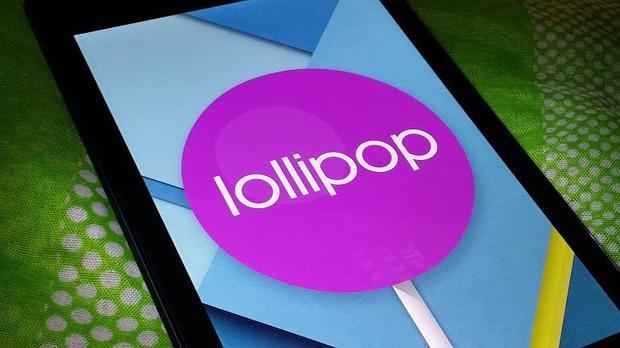
Android 5.1 Starts Hitting Google Nexus Devices Android 5.1 Lollipop is now flavoring certain Nexus devices. (Nicole Cozma/CNET)
Owners of certain Nexus mobile devices should be on the lookout for Android 5.1.
Announced by Google on Monday, the latest flavor of the Android Lollipop operating system is already out for the Nexus 4 smartphone, Nexus 5 smartphone and 2013 Nexus 7 tablet via T-Mobile. The carrier’s page for the Nexus 4 shows the 5.1 update available as an over-the-air (OTA) installation via Wi-Fi as of Monday. The page for the Nexus 5 and the one for the 2013 Nexus 7 show the same information. Both pages say the update will be available via a cellular connection at a later date.
A Sprint support page says that Android 5.1 is available for the Nexus 6 phablet as of Wednesday via an OTA update. The page cautions that such updates may be released in stages, so Nexus 6 owners on Sprint may not see the update arrive for several days. A Sprint spokesman told CNET that the new flavor of Android is also rolling out OTA for Nexus 5.
What’s different about Android 5.1? The latest update to Google’s mobile OS fixes several issues in 5.0 and also throws in a few new features. Google’s official blog on the update touts unspecified performance and stability improvements.
One feature new to Android 5.1 is tighter security for lost or stolen devices. Even if the device is reset back to factory conditions, a user will still need to sign in with the original Google account. The new security feature will be available on the Nexus 6 phablet and Nexus 9 tablet for starters but will pop up on other devices that come shipped with Android 5.1.
Another new feature lets you connect to a Wi-Fi network or Bluetooth device more easily via the Quick Settings menu. Users of phones with multiple SIM card slots will be able to switch between the cards without having to physically swap them out. And phone calls should be clearer thanks to the new high-definition voice calling available between Android 5.1 devices.
Nexus owners who don’t want to wait for their carrier to roll out Android 5.1 can “flash” their devices with factory images available directly from Google. But be forewarned that this process is much more complex than simply installing the OTA update. The process also wipes your device clean, which means you lose any personal data. So if you’re in no hurry, you’re better off waiting for your carrier’s update, even if it may take awhile.
T-Mobile did not immediately respond to CNET’s request for comment.

The Upcoming USB C Cable Is About to Make Your Life Way Easier

The Upcoming USB C Cable Is About to Make Your Life Way Easier

Daniel Howley
The Upcoming USB C Cable Is About to Make Your Life Way Easier
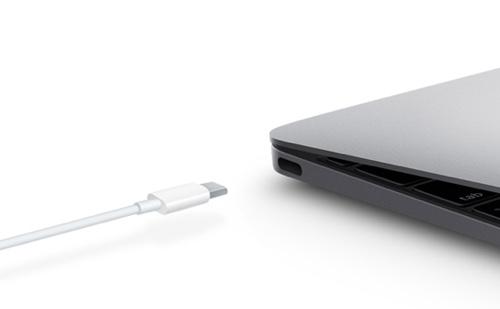
(Apple’s new MacBook)
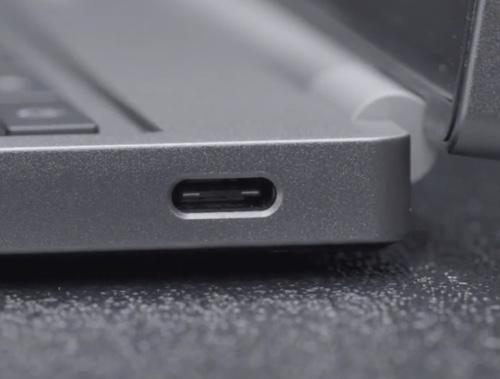
Apple’s new MacBook is turning a lot of heads, thanks to its superslim design and reimagined keyboard. But the real story, for Mac and PC owners alike, is the inclusion of a new kind of USB port, USB Type-C.
OK, it might not be the sexiest topic –– USB C could use a rebranding, for sure –– but hear me out. This humble port, which you can already try out on Google’s recently released Chromebook Pixel, is going to change the way we use everything from smartphones and tablets to laptops and desktop computers. 
You know that rat’s nest of tangled wires you keep bundled in your bag or your desk drawer? A single USB C cable could replace all of them.
Now you’re interested, right? Here’s how it works.
A new kind of standard
You use USB ports every day. Whether it’s connecting your mouse to your desktop or charging your smartphone, USB is everywhere. 
The most common form is the USB Type-A standard, the large-size connector on the side of your laptop or desktop. Then there’s the microUSB Type-B standard, which is what you find on most smartphones and tablets. And while those are convenient, they could certainly be faster, smaller, and easier to use.
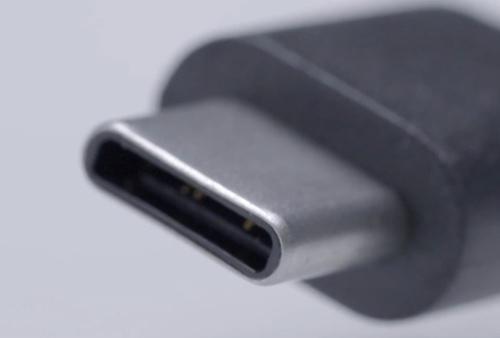
USB Type-C, or just Type-C, is a new standard that’s completely different from the cables and connectors you’ve previously used. 
According to the USB Implementers Forum, the group in charge of setting USB standards, Type-C can not only transfer small amounts of data and charge phones and tablets like current USB standards do, Type-C can also be used to charge something as large as a laptop and even stream video. 
It can also transfer huge amounts of data at a mind-blowing 10 gigabits per second; that’s twice as fast as the older USB 3.0 standard on your laptop or the microUSB your smartphone uses. 
That’s why Apple is able to use Type-C as the only connector on its new MacBook: It can do everything all of those older ports on your current computer can do. And it’s really small, too: about as thin as a standard microUSB connector.
Charging ahead
But it’s Type-C’s ability to charge a wide array of devices that is truly impressive. 
While most smartphones and tablets use microUSB connectors for charging and transferring data, the iPhone and iPad use Apple’s specially made Lightning connector.  
Laptops, however, use a wide variety of chargers. That means, if you’re going on a business trip, you need to bring a charger for your phone and tablet and another for your laptop. 
image
(Google)
Type-C, however, has been designed so that it can power smartphones, tablets, and laptops. That means if you buy a laptop that is USB C compatible, you’ll need just one charger for all of your devices.
Techies out there might be wondering how a charger designed for a laptop can also charge a smartphone without blowing out its battery. The answer is that your phone, or any other Type-C device, can talk to the charger to determine how much power it needs. The charger then sends the correct amount of power to the device without damaging it.
You’ll even be able to charge your MacBook using the charger that comes with your smartphone, albeit at a much slower rate.
That’s an incredible benefit to both companies and consumers. Companies win out by having a single charger and cable for all of their devices, cutting down on packaging and materials. Consumers win by only having to carry a single charger for everything. And if you lose your laptop charger, you can just go to the store to pick up a new one, rather than having to get one sent to you by the manufacturer or taking your chances on some third-party charger.
Type-C also offers something called bidirectional charging. Have you ever had 100 percent battery life on your tablet and 0 percent on your phone, and wished you could just transfer battery power from the tablet to the phone? With Type C, you’ll be able to do just that. You’ll not only be able to charge your laptop, smartphone, or tablet from the wall, you’ll be able to charge it from other devices, too. So you could use one laptop to charge another, or a phone to charge a tablet, or an MP3 player to charge a toaster (if it can get charged via Type-C). That’s pretty sweet.
Flip’n good
image
(Google’s Chromebook Pixel)

Google Play Store Gets More Hands-on with Content Ratings for Apps

Google Play Store Gets More Hands-on with Content Ratings for Apps

Google Play Store Gets More Hands-on with Content Ratings for AppsGoogle is updating its Google Play marketplace with age-based content ratings. Google
All Google Play apps will soon come with age-based content ratings and face the scrutiny of Google reviewers before entering the store.
Google has introduced age-based ratings for Android apps and games, the company said Tuesday in a blog post. Rather than develop its own age-based ratings, however, Google will go with rating systems already in use across the world. In the US, for instance, all apps and games will be rated based on the Entertainment Software Rating Board (ESRB) ratings employed by the games industry.
Google also announced that a “team of experts” has quietly started to evaluate apps over the last several months before they’re allowed entry into the Google store. If the apps don’t violate developer policies, Google said, the apps will be added to Google Play “within a matter of hours.” The developer policies exclude sexually explicit material, “gratuitous violence,” hate speech, gambling, “dangerous products,” spam and infringement of intellectual property, among others.
The moves announced Tuesday give Google more control over what makes it into the store and gives users — especially parents — greater insight into an app’s content to help determine whether it’s suitable for children.

Yahoo Introduces 'On-Demand' Password System, Uses Your Smartphone to Log You in

Yahoo Introduces 'On-Demand' Password System, Uses Your Smartphone to Log You in

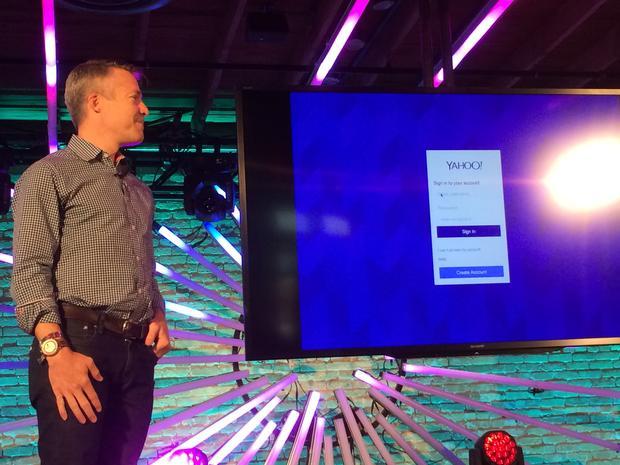
Yahoo Introduces 'On-Demand' Password System, Uses Your Smartphone to Log You in Yahoo said it eventually wants to eliminate passwords. (Richard Nieva/CNET)
AUSTIN, Texas — Turns out nobody can remember their Yahoo passwords. Now the company wants to make it so no one has to.
Yahoo on Sunday launched a new service called “on-demand” passwords, which lets someone log into a Yahoo account using a short password the company texts to their phone instead of having to remember their own password.
Here’s how it works: You log into your Yahoo account using your normal passwords. In the security settings, you turn on on-demand passwords and register your phone. Next time you try to login, the password field is replaced by a button that says “send my password,” and the company texts a four-character password to your phone.
"This is the first step to eliminating passwords," Dylan Casey, Yahoo’s vice president of product management for consumer platforms, said during a session at the South by Southwest festival here.

Friday, March 27, 2015

Google Meets with White House Officials Once a Week on Average

Google Meets with White House Officials Once a Week on Average

White House Officials Once a Week on Average

Google Meets with White House Officials Once a Week on Average (NYTimes)
In the wake of the Federal Trade Commission’s 2012 probe into Google’s search practices, it’s becoming clearer just how much clout the search giant has in Washington. According to visitor logs and emails obtained by The Wall Street Journal, high-ranking Google staffers, including Eric Schmidt, met with White House officials 230 times across two terms, or roughly once a week in four years. Those meetings also took place in the final weeks before the commission settled with Google, backing away from what would have been the biggest antitrust lawsuit since the Justice Department took on Microsoft in the 1990s.
The documents don’t show what was discussed in the late-2012 meetings, and the FTC insists it maintains independence as a regulatory agency. In fact, Jennifer Friedman, a White House spokeswoman, told the Journal that the administration is “cognizant that it is inappropriate to discuss issues relating to regulatory enforcement.” However, the documents help illustrate how Google has become a lobbying powerhouse in recent years, such that it was able to defeat a major antitrust investigation.
The search company is making inroads in terms of sheer influence. Rival Comcast, by comparison, currently wields a similar kind of power in government right now, as it was the only company to outspend Google’s $16.8 million in lobbying dollars last year. However, Comcast visited the Obama White House about 20 times in the last few years, paling in comparison to Mountain View’s efforts. In addition, Google employees have moved over to roles in the White House in the past, with Obama naming former VP Megan Smith as his new chief technology officer last year.
Scrutiny into Google’s practices are likely to ramp up as the year wears on. Last week, the Journal reported that, though the FTC finally settled and allowed Google to make minor concessions in its search business, the commission was deeply divided over whether or not to sue, due in large part to the company’s anticompetitive tactics.